


Switch storage runs out fast. A single Tears of the Kingdom install eats roughly 18GB; the Switch ships with about 25GB usable after system files. Three first-party games deep and you're already managing your library instead of playing it.
The fix, for most owners in 2026, is a 2TB microSD card. The catch: Switch 2 changed the storage rules. Buying the wrong card type wastes the money — and almost half the comparison articles still on Google haven't caught up. This one has.
|
The 30-second answer Switch / OLED / Lite owners want a standard microSDXC card, UHS-I U3 / V30 / A2, up to 2TB. Switch 2 owners want a microSD Express card, also up to 2TB. The two formats are not interchangeable. A standard 2TB card will fit a Switch 2 slot but won't hold games on it. |
Why You Need a 2TB Micro SD Card for Nintendo Switch
The Switch's internal storage felt generous in 2017. It feels tight in 2026.
Look at what modern Switch games actually weigh:
- The Legend of Zelda: Tears of the Kingdom — about 18GB
- Super Smash Bros. Ultimate with all DLC — about 26GB
- Hogwarts Legacy on Switch — about 17GB
- Pokémon Scarlet / Violet with patches — about 10GB
- A typical first-party RPG — 10 to 20GB
- Indies — usually 1 to 3GB each, but they add up faster than people expect
Now run the math. The original Switch leaves you about 25GB after system files. The OLED gives you closer to 50GB. Two AAA installs and the rest of your library is on borrowed time.
A 2TB card holds 60 to 100 modern Switch games at once — depending on what's in the rotation. For most owners, that's “every game I want to keep installed” without the cycle of uninstalling something you might come back to next month. Families sharing one console feel it the most. So do digital-only buyers and frequent travelers.
When 2TB might be more than you need
Not everyone needs 2TB this year. If you keep fewer than 15 games installed at a time, play mostly two or three big titles in rotation, or buy primarily physical cartridges, a 1TB card costs noticeably less per gigabyte and will hold your library for years. The clear candidates for 2TB are digital-only collectors, families with shared profiles, and Switch 2 owners with the budget to future-proof.

Key Features to Consider When Choosing a 2TB Micro SD Card
The spec sheet on a microSD card looks intimidating: speed classes, video classes, application classes, bus interfaces. For a Switch buyer, only four numbers matter. In priority order:
1. Compatibility with your specific console
This isn't optional. Switch 2 reads microSD Express as game storage — nothing else. Switch, OLED, and Lite read standard microSD / SDHC / SDXC. Buying the wrong type is the most common mistake on this keyword, and the most expensive one to fix.
2. UHS-I, U3, V30 — the realistic floor
For the original Switch family, UHS-I U3 and Video Speed Class V30 is the practical minimum. Higher classes (V60, V90) work physically but bring nothing extra to the table because the Switch's bus caps out at UHS-I, around 104MB/s. A 240MB/s card and a 120MB/s card load games at the same speed on a Switch. The console can't pull data faster than its own pipe allows. (See the SD Association's speed-class spec for the full breakdown.)
3. A2 application class
A2 cards handle 4,000 read IOPS and 2,000 write IOPS. This is the one rating with a felt impact during gameplay — faster app launches, fewer micro-stutters when a new area streams in. If a 2TB card is rated A1 (or unrated), pass.
4. Build quality
Switch users carry their consoles. Cards live in pockets, in plane trays, on the floor of a teenager's bedroom. Look for waterproof, shock-proof, and temperature-rated cards. Reputable brands publish drop-test data and X-ray ratings; counterfeits rarely do.
|
Editorial note Seen 4TB or 8TB microSD cards on a third-party marketplace? They're almost always misrepresented. The current SD Association ceiling for microSDXC is 2TB. Anything labeled larger uses microSDUC — a category no Nintendo console supports yet, and a category counterfeit sellers have been mislabeling for years. |

Best 2TB Micro SD Cards for Nintendo Switch in 2026
A 2TB Switch microSD purchase comes down to three honest questions: does the card hold its rated sustained speed, does it survive year three, and does the brand actually honor the warranty when you call. Marketplace 2TB cards routinely fail one or more of these — a problem the SD Association has flagged year after year.
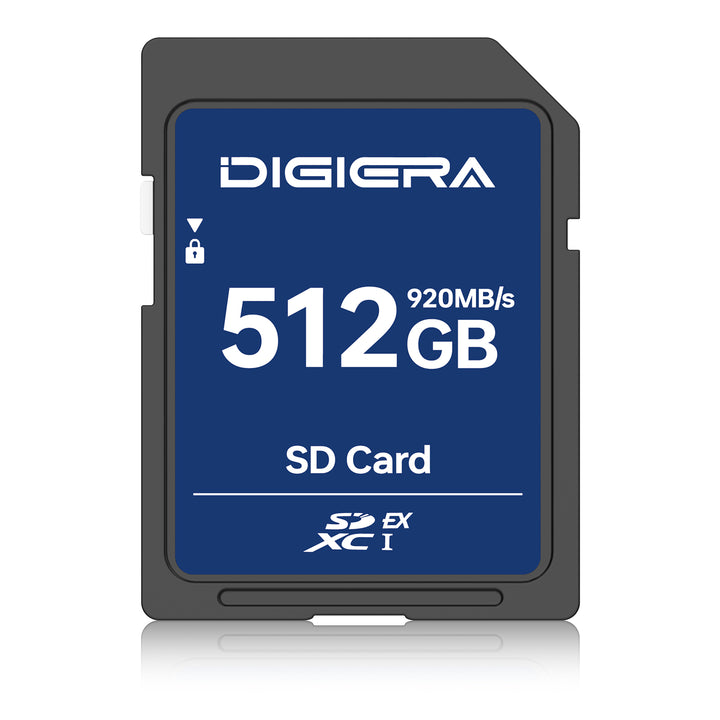
Digiera CT100 — built specifically for Nintendo Switch
The CT100 is Digiera's Switch-tuned card. It's not a general-purpose microSD relabeled for gaming; the spec was chosen around how the Switch family actually reads and writes data. Two things separate it from the field:
- Lifetime limited warranty. Most consumer microSD warranties run 5 to 10 years. Lifetime backing changes the ownership equation — it's a one-time purchase, not a recurring problem in three years.
- Tuned for the Switch's UHS-I ceiling. The CT100 meets U3 / V30 / A2, which is exactly what the Switch can use. You're not paying for headroom the console will never touch — and you're not getting a card from a brand whose primary use case is phones.
For current capacities and pricing, see Digiera's microSD card built for Nintendo Switch. If you also game on a Steam Deck, ROG Ally, or another handheld, the LT100 inside Digiera's SD and microSD card range is tuned for that segment.
BEST MICROSD CARDS FOR NINTENDO SWITCH (2026)
For Original Switch, OLED & Lite (Standard microSDXC)
|
Rank |
Brand & Model |
Capacity |
Speed Rating |
Best For |
Price Range |
Why Recommended |
|
1 |
Digiera CT100 |
256GB – 1TB |
U3 / V30, A2 |
Best Overall for Switch |
$23 – $110 |
Excellent speed, Switch-optimized, durable build, great value, 3-year warranty |
|
2 |
SanDisk (Ultra / Extreme) |
256GB – 1TB |
U3 / V30, A2 |
Most reliable |
$25 – $130 |
Officially licensed, proven track record |
|
3 |
Samsung (EVO Select / Pro Plus) |
256GB – 1TB |
U3 / V30 |
Best value & performance |
$22 – $120 |
Fast, reliable, strong warranty |
|
4 |
Lexar (Play Series) |
256GB – 1TB |
U3 / V30, A2 |
Speed enthusiasts |
$20 – $105 |
Very competitive pricing |
Quick Verdict:
Best Choice Right Now: Digiera CT100 — Specifically built for Nintendo Switch with solid U3/V30 speeds (up to 100MB/s read, 80MB/s write on higher capacities), tough durability, and very good pricing. A strong contender that punches above its weight in the Switch microSD space.
Other category options worth considering
You're not locked into one brand. SanDisk Extreme, Samsung Pro Plus, and Lexar Play all sell 2TB microSDXC cards aimed at gaming, and any of them will work on a Switch. The selection criteria are the same across brands — the table below is what to actually read on the back of the package.
|
Your console |
What to look for |
What to ignore |
|
Switch / OLED / Lite |
microSDXC, UHS-I, U3, V30, A2 |
UHS-II / V60 / V90 ratings; 240MB/s+ peak claims |
|
Switch 2 |
microSD Express rating, official Nintendo compatibility |
Standard microSDXC speed claims (won't work as game storage) |
|
Either |
Sustained write spec, warranty length, drop / waterproof rating |
Peak read marketing numbers, “extreme” branding without spec backing |
How to Install and Format a 2TB Micro SD Card on Your Nintendo Switch
Three minutes if you do it in order.
- Power down completely. Hold the power button for three seconds, then choose Power Options → Turn Off. Sleep mode isn't enough.
- Open the kickstand. The microSD slot is underneath, against the back of the console. The slot orientation is printed next to it.
- Insert the card. Label faces away from the console. Press it in until it clicks. The slot is spring-loaded — if it doesn't sit flush, you've got it backwards.
- Power on. The Switch detects the card and offers it as the default save location for new downloads.
- Format only if Nintendo prompts you. If the card has been used elsewhere, the Switch will ask. Confirm only after backing up anything you want to keep — formatting is permanent.
What about my saves?
Saves live on the console's internal storage, not on the microSD. Swapping cards doesn't touch them. Game files (the multi-GB download portion) live on the card, so moving from a smaller card to a 2TB means the games re-download — but your save data is safe, especially if you've synced through Nintendo Switch Online cloud saves. Nintendo's official support site walks through cloud save sync and console-level transfer if you want a longer reference.
|
Format on the Switch, not on a PC PC formatting often defaults to NTFS or to exFAT in ways the Switch doesn't fully recognize. Always let the console handle this step — it sets the right filesystem and the right block alignment for game I/O. |

Comparing Performance: Speed and Reliability of the Best 2TB Cards
Real performance on the Switch is bounded by the console, not the card. The UHS-I bus tops out around 104MB/s. A card rated 240MB/s in a high-end reader will load games at roughly the same speed as one rated 120MB/s, because the Switch can't pull data faster than its own pipe allows.
So peak speed isn't the differentiator. These four things are.
|
What to compare |
Why it matters on Switch |
Cheap card |
Quality card |
|
Sustained write speed |
A 25GB game patch tests sustained writes — not peak |
Drops to 5-10MB/s under load |
Holds 60MB/s or higher |
|
A2 random access |
Game assets stream as new areas load |
Stutter, texture pop-in |
Smooth streaming, fewer frame drops |
|
Thermal behavior |
Cards in a docked Switch run warm |
Throttles, occasional read errors |
Heat-dissipation design, stable |
|
Warranty |
A 2TB card is a $150+ purchase |
Marketplace warranties rarely honored |
10-year or lifetime backing |
Chase consistency, not headline numbers. A V30 / U3 / A2 card from a brand that backs its product will outperform a 240MB/s “extreme” card from an unknown seller every time — and it'll still be working when the Switch 3 comes out.

Conclusion
Storage anxiety on the Nintendo Switch ends at 2TB. With the right card, you stop deleting old saves to make room for new ones, stop juggling downloads, and stop thinking about file management between play sessions.
The shortlist is short:
- Match the card to the console — Express for Switch 2, standard microSDXC for everything else.
- Prioritize sustained write speed and A2 over peak read numbers.
- Format on the Switch itself, not on a PC.
For Switch / OLED / Lite owners, Digiera's CT100 is built for this exact workload. To see storage built for the way you actually play — across SD, microSD, portable SSD, and internal drives — that's the place to start.

FAQs
Will a 2TB SD card work on Nintendo Switch?
Yes. Original Switch, OLED, and Lite all support up to 2TB microSDXC cards. Switch 2 only works with microSD Express cards up to 2TB (standard microSD cards won’t work for game storage).
What is the largest SD card supported by Nintendo Switch?
2TB. That’s the official max for both standard Switch models (microSDXC) and Switch 2 (microSD Express). Anything claiming higher is fake or incompatible.
How do I erase everything on my SD card?
Go to System Settings → System → Formatting Options → Format microSD Card on the Switch. This wipes everything on the card only — saves stay on the console.
Which microSD card is compatible with Nintendo Switch?
For original Switch/OLED/Lite: UHS-I, U3/V30 (A2 preferred).
For Switch 2: Only microSD Express cards. Always check the official speed rating.
Does it matter what SD card I use for Nintendo Switch?
Yes. Cheap or fake cards often corrupt data or fail. Buy reputable brands with proper U3/V30 or microSD Express rating from trusted sellers.
Do 2TB microSD cards exist?
Yes, real ones from SanDisk, Samsung, Lexar, etc. Expect to pay $150+. Anything under $40 is almost certainly fake.
Can I put a bigger SD card in my Switch?
Yes, up to 2TB. The console will prompt you to format it and set it as default. Games will need to be re-downloaded.
Sources
- Nintendo Support – Provides official guidelines and compatibility details for microSD cards, including information on what works with the Nintendo Switch and Nintendo Switch
- Amazon – Details on the SanDisk Extreme 2TB MicroSDXC, including user reviews and performance features for gaming on the Nintendo Switch.
- Lexar Official Website – Overview of the Lexar Play 2TB microSD card, which is optimized for gaming and designed to meet the demands of users looking for high-speed performance.
- TEAMGROUP Official Website – Information on the TEAMGROUP A2 Pro Plus 2TB microSDXC UHS-I card, highlighting its suitability for high-speed gaming and large storage needs.