Explore Our Best Sellers
Most Popular Blog Posts

How to Increase Phone Storage with MagSafe Portable SSDs
Running out of phone storage is a common problem, especially as we capture more photos, download apps, and store videos. Whether you're using an Android phone, iPhone, or tablet, a MagSafe portable SSD offers a powerful way to get more storage instantly—without deleting your favorite content.
Unlike traditional hard drives, MagSafe SSDs use magnetic attachment for quick, secure, and cable-free connections to your device. They’re compact, fast, and perfect for expanding your internal memory or creating free storage space. You don’t even need to install extra software to get started in most cases.
What Is a MagSafe SSD?
A MagSafe portable SSD is a high-speed external storage device that connects magnetically to your phone or laptop—just like Apple’s MagSafe charger. It combines the ultra-fast performance of an SSD (solid-state drive) with wireless ease of use, especially for mobile phones and tablets. You can also use it to transfer files from your mobile device to your computer with ease.
Internal storage full? No problem.
Need to save space for more apps, music, or videos? This drive does the job.
By using secure digital (SD) technology and modern flash memory, these devices allow you to store all the data you need with minimal hassle. It’s a perfect example of how innovation simplifies digital life.
Why You Need More Storage Space on Your Phone
Modern smartphones are powerful, but their internal memory can fill up quickly with:
-
High-resolution photos and videos
-
App downloads from the Google Play Store
-
Offline media like music and podcasts
-
Cached files from social media and streaming apps
Using a MagSafe SSD lets you offload large files, keeping your device storage clear and your phone running smoothly. No more messages like “storage almost full” when trying to take a photo or download a new app. You can even switch storage locations in your settings to prioritize your SSD as a default save point.
MagSafe SSD vs Traditional SD Cards
While SD cards and USB drives are popular, they’re not as fast, durable, or seamless as MagSafe SSDs.
|
Feature |
MagSafe SSD |
SD Card |
|---|---|---|
|
Speed |
❌ Slower transfer |
|
|
Connection |
✅ Magnetic, cable-free |
❌ Manual insert/remove |
|
Durability |
✅ Rugged & shockproof |
❌ Prone to damage/loss |
|
Ease of Use |
✅ Plug & play |
❌ May need adapters |
|
Portability |
✅ Ultra-compact |
✅ Compact, but fragile |
 Data Security & Durability
When it comes to backing up photos, sensitive documents, or clearing space on your device, reliability is key. MagSafe SSDs are:
-
Shock-resistant
-
Protected from accidental drops
-
Designed with fast, encrypted file transfer options
This makes them ideal for anyone who wants secure external storage for mobile phones without relying on unstable cloud storage. And if you use web-based backup solutions like Google Drive or iCloud, an SSD can act as an offline fallback.
Best Use Cases: From Casual Users to Tech Pros
For Android and iPhone Users
Free up android phone or iPhone storage by offloading:
-
Photos and videos
-
Downloaded files
-
Large apps or games
For Content Creators
Edit and move high-res files quickly without slowing your device down.
For Frequent Travelers
No need for bulky drives or cloud access—your more storage travels with you.
For Clean-up Lovers
Use it to clear cache, move unwanted files, or uninstall unused apps and save gigabytes of storage space. No need to disable your favorite features or constantly worry about available memory.
How to Use a MagSafe Portable SSD to Save Space
-
Connect the SSD magnetically to your phone or tablet.
-
Tap into your file manager or transfer tool.
-
Move files like photos, videos, and downloads to free up internal storage.
-
Optional: Back up to Google Drive or another cloud from the SSD for double security.
You can also install file explorer apps to manage your files better, or even sync them across your devices via your home computer.
Final Thoughts: The Future of Mobile Storage
With growing digital needs, more free storage isn’t just a convenience—it’s essential. Whether you're a tech-savvy user or a casual mobile owner, a MagSafe Portable SSD is one of the best tools to increase phone storage, simplify backups, and secure all the data you care about.
Forget messy cables, slow SD cards, and full app drawers—it's time for smarter, faster, external storage.


If you are like me, you may favor buying affordable devices like my 128GB iPhone 13 or 256GB Dell PC. Well, these devices cost less but can be costly over time. Or imagine the frustration of not being able to use your device due to limited storage. If you use a limited storage device, the issue of low memory isn’t so far flung.
But what is the best way to tackle the problem of low memory on your smartphone? Some smartphone owners swear by cloud storage. Others are yet to try storing valuable data on the cloud and prefer physical devices like SSDs (Solid State Drives). Still, others say it’s time for a device upgrade when you start getting “low memory” notifications. Which camp are you on? Which storage solution is the best for mobile?
Solving Smartphone Storage Problems: Cloud vs. SSDs vs. Upgrades
With smartphone storage problems, there is no best solution. You will have to evaluate your situation and determine your best bet. For example, if you have enough to splurge on an upgrade, that may be the way forward. Or if you’re looking to save money, the cloud or physical SSD may serve you better. However, you must consider your internet connectivity strength before choosing cloud storage.
Yes, each storage solution has its good and not so go side. You will be able to decide after we consider each solution on its own merit. We would first start with cloud storage.

Solution #1: Cloud Storage
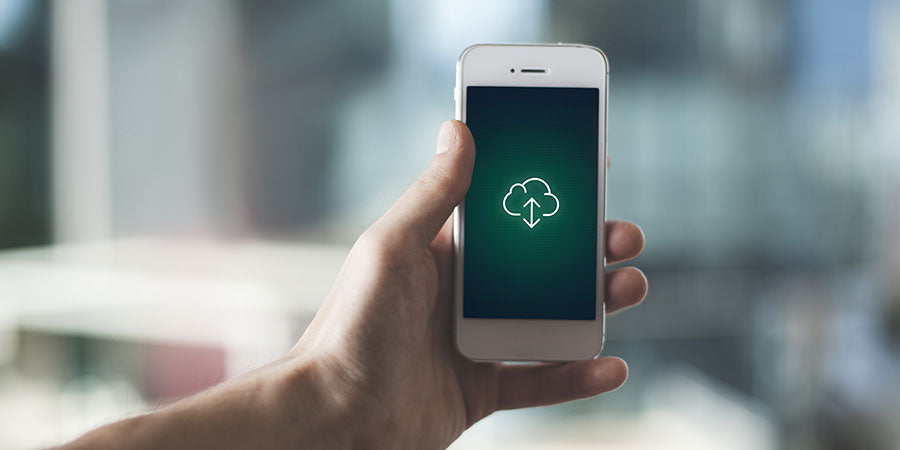
With cloud storage, you can save large videos, audio, and other digital files via the internet. The cloud here is really another computer, a server. The most popular cloud storage option is Google Drive. This solution is used by billions of Android smartphone users worldwide. The iCloud by Apple is equally very common on iOS (iPhone Operating System).
How Cloud Storage Works
When you choose to save or backup files on the cloud, you are simply saving on another computer that has space. These files are transferred via the Internet. So a strong internet connection would help.
You can download the files back to your device when you want. This could be when you change your device, or when you need a particular file or data.
The Benefits of Cloud Storage
Smartphone users who rely on the cloud have good reasons for doing so:
- Easy access: Cloud storage isn't physical but you can reach your files in any location on any device as long as you have internet.
- Secure storage: Your files on the cloud would only be breached if someone else has your login details. So, the cloud is pretty safe.
- Offers you more space: You can free up device space by uploading some heavy files to the cloud. These files may not be useful to you at the moment.
- Shared access: You can allow others to access the files stored in the cloud by simply permitting their ID. This is a great option for family-owned or work-related files.
- Auto Syncing: You can set the cloud to sync with your device. So you don't have to manually backup every new photo or video you record. The system will ensure your phone and the cloud are identical.
The Challenges of Cloud Storage
Using the cloud isn’t always smooth though. You may run into these issues:
- Depend on the internet: The cloud 100% depends on being online.
- Growing cost: Cloud subscriptions must be paid monthly. Your cloud provider may offer a free plan with limited storage space. So you have to pay for more space. This routine payment and internet fees can grow your monthly expenses.
- Privacy risk: You may suffer a data breach if your cloud security is compromised.
When to Use Cloud Storage
We’ve seen the pros and cons but when should you use the cloud? Cloud storage is not affected by device failure or fire. So this method is a pretty good safeguard in the event of an accident. Also, the cloud option would be advised if you and others must access the data on different devices.
Solution #2: External SSDs and OTG Drives
External SSD (Solid State Drive) or an OTG (On The Go) drive is a physical memory drive that is portable. These drives will fit in your palm or pocket. You can plug them into your device at any time to store or retrieve your files.

How External SSDs and OTG Drives Work
These devices have a connecting port which is often a micro USB or Type C port. You can access the stored files by simply connecting to your smart device. Then you can move files to and from your smart device. External SSDs will work on your iPad, iPhone, PC, or Android. As you can imagine, these gadgets excel in certain areas but may not be your best bet in some situations.
The Benefits of External SSDs and OTG Drives
External SSDs and On-The-Go Drives have these benefits:
- Portable: There is a physical drive but would fit in your pocket or palm.
- High speed data transfer: Reading and writing files on the drive is fast.
- Works on all devices: These drives will work on any OS (Operating System) or device.
- Does not need internet: You can transfer data without being online.
The Challenges of External SSDs and OTG Drives
The issues with an SSDs or OTG drive are:
- Cost: External SSDs cost more than regular HDD (Hard Disk Drives), although the former is superior to the latter.
- Durable: SSDs can become damaged when mishandled.
- Fixed capacity: You can expand an external SSD but you can get an additional device.
- Security risk: Your physical drive may get stolen or lost. This increases your risk of data leaks.
When to Use External SSDs and OTG Drives
Still, an external drive can be remarkably useful. For example, they can hold a large file without needing internet connectivity. This benefit is handy in areas with poor or no internet. Also, they can be a medium to move files between devices. And just as important, external drives help you avoid monthly or annual costs of cloud storage.

Solution #3: Device Upgrades
Device upgrade is when you switch to a higher end gadget. Often, this change is necessitated by storage concerns. For example, you may switch from a 128GB iPhone to a 512GB device. This is 4 times your original space.
How Device Upgrades Work
Device upgrades are pretty straightforward and they happen all the time. To preserve and move your phone’s data to a new device, you can back up the content on the cloud and then redownload the content on your new device. So you won’t be losing any information when this happens.
The Benefits of Device Upgrades
When it comes to a device upgrade, a benefit comes to mind:
- Improved performance: Upgrading your PC or mobile phone will improve your work or other operations. For example, you may no longer have to deal with lag or insufficient space.
The Challenges of Device Upgrades
There are a few strong drawbacks to device upgrades:
- Expensive: Upgrading your gadget can feel like paying with an arm and a leg. Sometimes, you may recoup this cost by selling the older device. But due to the high cost, it may be impractical to upgrade all your smart devices at once.
- Fixed capacity: A higher end device will offer more space but remember that this free space is often fixed and unexpandable. So it may be impractical to get a device each time you run out of storage room.
When to Use Device Upgrades
Device upgrade has its drawbacks but sometimes you are due for an upgrade though. For example, your device may no longer be responsive or fast. If the issue is a deeper problem other than low memory, then you should consider an upgrade. Also, there are times when you need an additional device to the one you currently use. Then an upgrade is advised.

Comparing the Solutions
We have considered the three main solutions to insufficient storage issues. Sometimes, you may not have the luxury of employing all three solutions. Instead, you may prioritize based on cost, usage ease, and scalability. Which solution wins in these categories? Let’s see.
Cost Analysis
Here, device upgrade is perhaps a capital no. A new, high end gadget will cost a fortune. Also, clod storage payments seem to be minimal but consider that you will make these payments terminally. This cost can really add up over time.
The clear winner in this category is the SSD or OTG option. You can get up to 2TB storage for just a few hundred dollars.
Ease of Use
Even though you are non-technical, upgrading a device or obtaining an SSD seems straightforward. Using cloud storage seems like a challenge but only because you may be unfamiliar with the process.
If you operate a smart device, you should have no challenge using any of the three solutions. However, getting an SSD seems the easiest, especially when you have to move your data after an upgrade.

Longevity and Scalability
Unfortunately, you can only scale an external SSD by buying another gadget. The same applies to device upgrades. In contrast, cloud storage is practically unlimited.
Also, physical devices must be well cared for so they don’t go bad. Mishandling your gadgets will reduce their longevity. We’ve designed our SSDs to withstand external pressures. But we still recommend you care for the device.
In the area of longevity and scale, the cloud wins. Remember that you can combine these storage methods to create a robust and flexible solution.
Tips to Maximize Existing Storage
These tips will help you manage storage as you figure out what storage solution is best for you:
Regularly clear cache and unwanted files: Caches can take up valuable storage space. Clear caches to free space and delete unwanted files, especially heavy files like videos.
Use compression apps for media: Using a compression app is a little technical and cumbersome. But it can save you some megabytes and gigabytes here and there. If you judge that this is good enough benefit, then try a software like Winrar.
Offload infrequently used apps: Any apps you’re not using? Consider removing them from your phone, PC, or tablet.

Our Final Words
Don’t let storage concerns force you to upgrade your device. This is a financial decision that can empty your purse. Only seek an upgrade when it is in your interest.
Otherwise, you should consider getting an SSD storage device. This physical drive is an investment in your professional or private life.