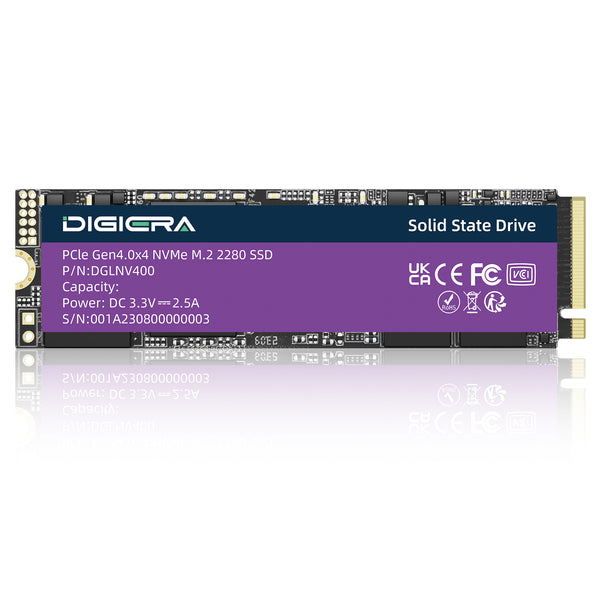
An industrial SSD is made for equipment that runs all day in rough places. Think factory panels, outdoor cabinets and vehicles. It has a wide temperature rating, longer lasting NAND and power loss protection, and the parts inside stay fixed for years. Consumer SSDs give you more speed for the money, but they aren't built or supported for that kind of work.
Here's what actually separates the two, and how to tell when the extra cost is worth it.
Industrial vs Enterprise vs Consumer SSDs
|
Feature
|
Industrial
|
Enterprise
|
Consumer
|
|
Built for
|
Harsh, embedded, long life systems
|
Data center servers
|
PCs and laptops
|
|
Temperature
|
Often −40°C to 85°C
|
0°C to 70°C, cooled racks
|
Usually 0°C to 70°C
|
|
Endurance
|
High (SLC, pSLC or tested TLC)
|
Very high (rated in DWPD)
|
Moderate
|
|
Capacity
|
Small to mid
|
Very large
|
Mid to large
|
|
Parts list
|
Fixed per part number
|
Usually fixed
|
Can change anytime
|
|
Supply life
|
Often 5 years or more
|
Several years
|
Until the next model
|
|
Price per GB
|
Highest
|
High
|
Lowest
|

People usually think that the terms "industrial" and "enterprise" are interchangeable; however, they are not. The enterprise drives emphasize high speeds and capacities of the drives that are kept in climate-controlled server rooms, whereas industrial drives focus on the longevity in various environments.
Temperature Range
The most common temperature range for consumer solid state drives is 0°C to 70°C. The temperature range for industrial drives is generally −40°C to 85°C, while for wide grade devices, the temperature range is −25°C to 85°C. This range is crucial in outdoors environments and train carriages.
Heat brings another problem. Many SSDs slow themselves down when they get too hot, so a drive can pass in the lab and then lag inside a sealed box in summer. Industrial drives are tested across the full range under load, not just switched on.
Endurance: NAND Type, TBW and DWPD
Endurance is usually given as TBW, the total terabytes you can write over the drive's life. JEDEC's SSD endurance standard sets how that rating is measured, with separate classes for client and enterprise drives. Enterprise drives often add DWPD, which is how many times you can fill the whole drive each day for the warranty period.
Cell type drives most of the difference. SLC stores one bit per cell and lasts the longest. pSLC runs TLC flash in one bit mode, giving up about two thirds of the capacity for much higher endurance.
That's why industrial drives often look small and expensive. SLC isn't harder to make. It just holds fewer bits per cell, so every gigabyte costs more.
Fixed BOM, PCN and Long Supply Life
An industrial drive's NAND, controller and firmware are tied to one part number. If any of them changes, the maker issues a new part number and sends a product change notice (PCN) months ahead. An end of life notice gives you a last time buy window before supply stops.
Consumer motivation may cause a switching between the batches of NAND or controller while maintaining the same product designation. Such silent changes in a product intended for medical or industrial applications may imply re-certification of the whole system.
For product builders who need parts that stay put, Digiera makes industrial SSDs for OEM projects at Digiera's production facility.
Power Loss Protection and Data Security
These features decide whether data survives a bad day:
-
Power loss protection: capacitors hold enough power to finish writes when the supply cuts out.
-
A hardware write protect switch locks the drive so nothing can change its contents.
-
Secure Erase will erase all blocks, which will be important when the machine is to be retired or sold.
-
Data Encryption will ensure that the data is secure in case of theft or loss.
-
SMART health monitoring shows how much life is left, so drives get replaced before they fail.
Consumer drives may offer some of these, but power loss protection and write protect are rare outside industrial and enterprise lines.
Form Factors Used in Industrial Systems

Industrial gear favors small, secure shapes. M.2 2242 and 2280 sticks fit compact boards, and BGA SSDs solder straight onto the board with no connector to shake loose. Older designs still use mSATA and 2.5 inch SATA drives, while rugged servers use U.2.
Soldered and screw mounted parts handle vibration better than drives in a loose bay. That's one reason BGA storage keeps growing in vehicles and handheld equipment.
When a Consumer SSD Is Good Enough
Industrial drives aren't always the right call. An office PC, an indoor kiosk or a machine that's easy to reach can run fine on a good consumer SSD. The price gap only pays off when a failure is expensive.
Failure after installation is the real cost. When hundreds of units sit in the field, one dead drive can mean a technician visit, downtime and lost data, and that bill is often bigger than the price difference across the whole order.
|
⚠ Quick cost check
Expected failure cost = units deployed × expected failure rate × (site visit + downtime + data recovery). If that number is higher than the extra cost of industrial drives, buy industrial.
|
Sourcing Industrial SSDs in 2026
Prices have climbed all year. TrendForce still expected NAND contract prices to rise in the fourth quarter of 2026, driven by AI server demand. For industrial buyers, that also means more end of life notices as makers shift capacity to data center products.
Prior to placing your order, please get all the information regarding temperature classification, NAND type, TBW performance, power loss protection, and supply lifetime in writing. Get your samples from production lines, not from engineering lines. Then send your form factor, capacity and endurance needs and request an industrial SSD quote.
FAQs
What is an industrial SSD?
It's a solid state drive built for harsh, always on equipment. It usually has a wide temperature rating, higher endurance NAND and power loss protection. Its parts list stays fixed for years, which product makers need.
What is the difference between industrial and enterprise SSDs?
Enterprise SSDs are designed to be used in data center servers and are known for their extremely high performance, capacity, and write endurance. Industrial SSDs are designed to be used in rugged conditions and have wide temperature, shock resistance, and fixed components.
Why are industrial SSDs so expensive?
They often use SLC or pSLC flash, which stores fewer bits per cell, so each gigabyte costs more. Extra temperature testing, smaller production runs and long supply guarantees add to the price too.
Why do industrial SSDs have small capacities?
Because SLC and pSLC store only one bit per cell. The same chips hold about a third of what TLC can. Industrial buyers trade capacity for endurance and data safety.
What temperature can an industrial SSD handle?
The temperature range is generally from −40°C to 85°C when active. Wide temperature grade devices work in a range from −25°C to 85°C. Consumer grade SSDs work in a temperature range of 0°C to 70°C.
Can I use an industrial SSD in a desktop PC?
Yes, in case the form factor and interface are compatible with the motherboard. The device will function as usual. You may have to pay more money for smaller capacity and lower performance levels.
ng CIDs on a lot of cards guarantees that they all come from the same vendor and some manufacturers allow customizing the CID for your product use.
What does fixed BOM mean for SSDs?
It means the NAND, controller and firmware are locked to one part number. If any of them change, the maker issues a new part number and a change notice. Product makers don't have to requalify drives by surprise.
How long do industrial SSDs live?
It depends on the type of NAND as well as the amount of writes that occur. SLC or pSLC drives may continue working for many years in the presence of constant writes.